Why South-Facing LEDs Can Interfere With Cherry-Profile Keycaps
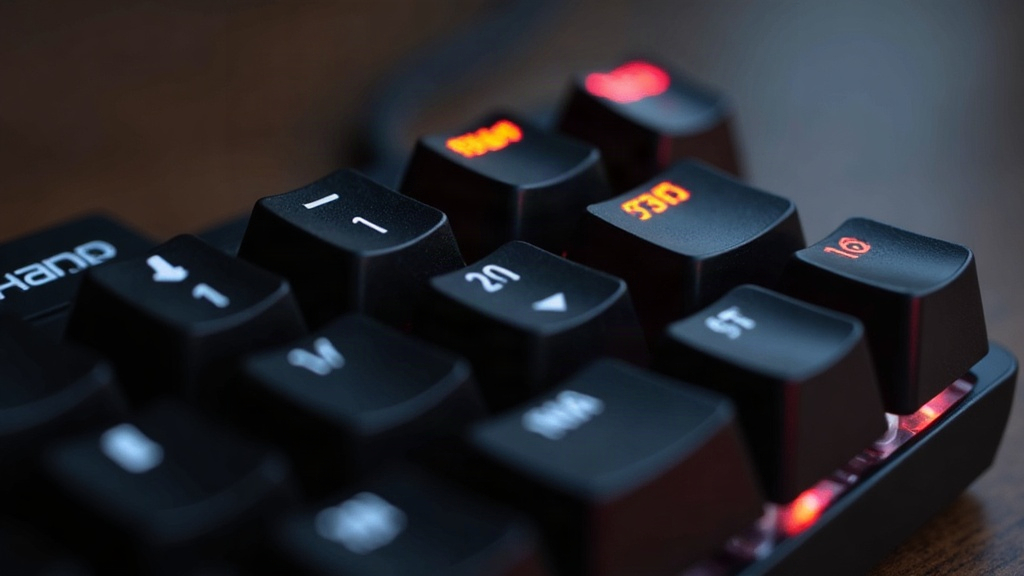
If your RGB board suddenly looks dimmer or weirdly lit after you drop in a set of Cherry-profile keycaps, don’t blame the caps right away. Nine times out of ten, it’s LED orientation causing the problem. South-facing LEDs sit low in the switch housing, and Cherry’s short, angled sculpt just doesn’t funnel light upward the way taller profiles like SA or OEM do. What you end up with: shadowed legends, patchy underglow, and brightness that varies from row to row for no obvious reason.
What “South-Facing” Actually Means
Every mechanical switch has a little window on the housing where a surface-mount LED sits on the PCB below it. Depending on how the board was designed, that LED faces one of two ways:
- North - the LED points toward the top of the keyboard, away from you
- South - the LED points down toward the spacebar, closer to where your hands rest
South-facing became the default on a lot of boards because it frees up space for bigger stabilizers and plays nicer with hotswap socket layouts. The tradeoff is that the light now hits the keycap’s internal channel at a different angle than it was originally designed for.
Why Cherry Profile Struggles With South-Facing Light
Cherry caps are low and sculpted, each row angled a bit differently, with legends sitting closer to the stem than you’d find on taller profiles. That geometry creates a handful of specific headaches.
1. Legends Get Cut Off by the Keycap Wall
Cherry caps are short, and the walls near the base run thicker than you’d expect. When an LED fires from the south, light has to push through more plastic before it even reaches a legend that might be printed higher up on the cap. The common result: the bottom half of a letter glows fine while the top looks dim or half-shadowed, like someone’s holding a flashlight at the wrong angle.
2. Shine-Through Legends Misalign
A lot of Cherry-profile sets print their legends centered, or even slightly toward the top of the cap. A south-facing LED throws its light from below-center, so if nobody designed the legend with that angle in mind, you get what people in keyboard forums call the “crescent moon” effect: one edge of the letter lit up bright, the other edge sitting in shadow.
3. Doubleshot vs. Pudding Caps Behave Differently
- Doubleshot Cherry caps (opaque, no shine-through) don’t really care about LED angle since no light passes through the legend anyway, but they do block more underglow than a pudding cap would.
- Pudding keycaps with Cherry-profile tops let light leak out around the edges of the cap. That side-spill actually makes up for weak legend lighting by shifting the visual emphasis to underglow instead.
How to Tell If Your Board Has South-Facing LEDs
- Check the product listing or switch datasheet. Most hotswap boards (think many Keychron, Royal Kludge, and GMMK models) specify LED orientation somewhere in the spec sheet.
- Pop off a keycap and look directly at the switch. The LED and its little diffuser lens will sit either near the top edge of the housing or the bottom edge, you can see it with the naked eye.
- If a board was marketed as “RGB + hotswap,” south-facing is the safer bet, since it keeps the LED out of the way of thicker stabilizer wires.
Fixes and Workarounds
- Look for keycap sets labeled “south-facing compatible.” A growing number of Cherry-profile sets, especially from boutique keycap makers, now print legends lower on the cap specifically to deal with this.
- Swap in north-facing switches, if your board allows it. This is the cleanest fix, though it can clash with wider stabilizers on 2u and 6.25u keys like spacebar and shift.
- Use shine-through doubleshot caps sparingly. Save them for modifier keys (Ctrl, Alt, Fn) where you don’t need perfect legend clarity, and let underglow carry the rest of the board.
- Add a diffuser layer under the hotswap sockets. Some builders use frosted switch films (sometimes just a thin bit of translucent tape) to spread the light more evenly no matter which way it’s facing.
- Go with thinner-wall keycaps. PBT caps with 1.2-1.3mm walls let noticeably more light through than thick ABS caps running 1.5mm or more.
Quick Compatibility Checklist
- Confirm your switch LED orientation (north or south)
- Check if your keycap set specifies south-facing legend printing
- Decide whether underglow or legend visibility matters more for this build
- Test one row before buying a whole set
Conclusion
South-facing LEDs and Cherry-profile keycaps aren’t a bad match by default, but together they need a bit more attention than, say, pairing north-facing LEDs with SA caps. If crisp, evenly lit legends are a priority for you, hunt specifically for sets built for south-facing switches, or just swap your board’s LED orientation if the hotswap sockets let you. Ten minutes of research before you buy beats ending up with a keyboard that looks sharp with the lights off and kind of underwhelming the second you flip the RGB on.