Stop Mechanical Keyboard Keys From Binding After a Beach Trip
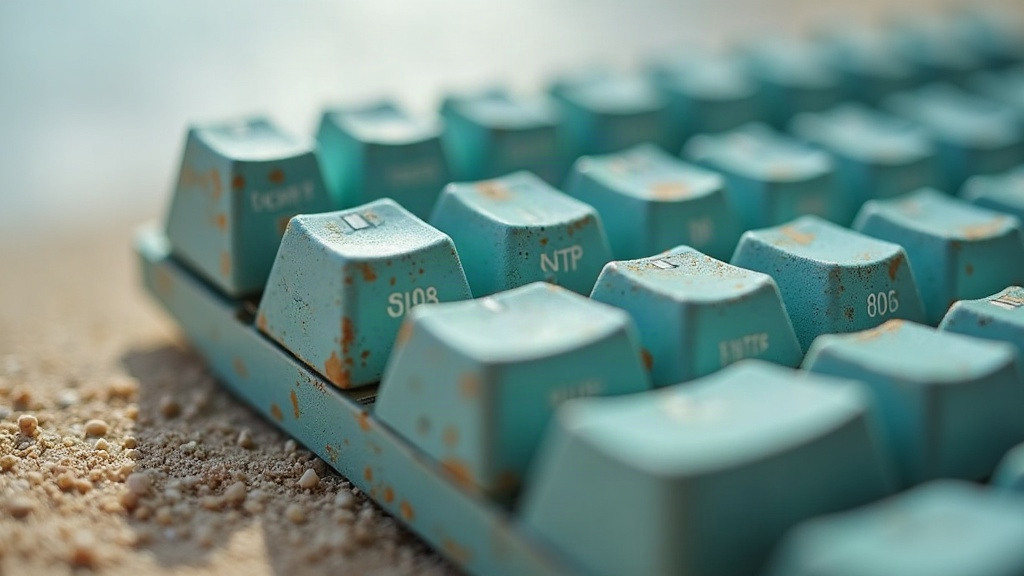
Coming Home to a Sticky, Wobbly Keyboard After the Beach?
Got back from the coast and now your spacebar catches halfway down, or your shift key wobbles like it’s loose in its socket? You’re not imagining things. Fine sand, salty humid air, and sunscreen residue make an ugly combination for stabilizers and switches. The good part: fixing this rarely requires soldering. Most of the time, an hour with basic tools gets you back to normal.
Why Beach Trips Wreck Keyboard Keys
Three things gang up on your keyboard the moment you’re near the ocean:
- Sand and grit — Even a keyboard that stayed inside an air-conditioned room the whole trip picks up airborne sand dust. Those fine particles work their way into stabilizer wire channels and switch housings, basically acting as sandpaper on parts that are supposed to glide.
- Salt-laden humidity — Ocean air is full of salt particles, and salt is hygroscopic, meaning it pulls moisture out of the air toward itself. That moisture creeps into plastic housings and leaves a faint, tacky film on metal stabilizer wires and switch leaves, sometimes with a bit of corrosion mixed in.
- Sunscreen and skin oils — Warm hands plus SPF 50 equals oily fingertips. That residue lands on keycaps and, given a few days, drips down the stems into the switch housing, gumming up whatever lubricant was originally keeping things smooth.
Each of these on its own is a minor nuisance. Combined, they explain why a board that felt perfectly fine on Friday feels scratchy, sticky, or does that odd “rattle-then-catch” thing by the following Monday.
Step 1: Figure Out Where the Binding Actually Is
Don’t start unscrewing things yet. Test each problem key first and pay attention to how it fails:
- Wobbles side to side and snags on the way down → almost always a stabilizer problem. Spacebar, shift, enter, and backspace are the usual suspects since they’re the ones that use stabilizer wires.
- Feels gritty or scratchy the entire way through the press → sand or dust sitting inside the switch housing itself.
- Sticks near the bottom of the stroke and returns slowly → sunscreen or skin oil gumming up the switch stem.
Doing this diagnosis first saves real time. If it’s only your long keys acting up, there’s no reason to pull every single switch on the board.
Step 2: Deep Clean Before You Even Think About Lubricant
- Power down and fully unplug the keyboard. No exceptions.
- Pull every keycap using a keycap puller, going slow so you don’t bend or crack the switch stems underneath.
- Vacuum with a narrow nozzle, or hit it with compressed air at an angle. Angling matters: spraying straight down can push grit further into the switch instead of out.
- Wipe the plate and case with a microfiber cloth lightly dampened in isopropyl alcohol, 90% or higher. This cuts through salt film and sunscreen residue better than water alone.
- Soak the keycaps in warm water with a drop of dish soap for 15-20 minutes. A soft toothbrush handles the grime in the crevices. Rinse well, then let them air dry completely, at least 4 hours, before snapping them back on. Reattaching damp keycaps is asking for mold or mineral spots later.
Step 3: Fix the Stabilizers (Usually the Real Culprit)
If your spacebar or shift key is the loudest complainer, start here:
- Pop the keycap off and lift out the stabilizer wire along with the stem.
- Wipe the wire down with alcohol to strip off salt film and any early corrosion.
- Apply a thin coat of dielectric grease, or a proper stabilizer lube like Krytox 205g0 or GPL 105, to the wire-to-housing contact points and the stem legs.
- Reseat the wire and double-check it clips in fully on both ends. A half-seated wire is honestly the single most common cause of “I cleaned it and it’s still catching.”
Step 4: Deal With Sticky (Not Gritty) Switches
Different symptom, different fix.
- Hot-swappable board? Pull the affected switches and swab the housing interior with a cotton bud dipped in alcohol.
- Soldered board? Skip the disassembly. Compressed air plus 24 hours drying in a low-humidity room usually does it. Sometimes the binding is just trapped humidity, and it clears up on its own once the board is bone dry.
- Whatever you do, don’t dunk soldered switches in water. Moisture that gets trapped near the PCB causes far worse problems than a little beach sand ever would.
Preventing This Before Your Next Trip
- Keep the keyboard in a sealed case or bag whenever it’s not actively being used at the rental or hotel.
- Throw a silicone dust cover over it during transport, cheap insurance for a $100+ board.
- Apply sunscreen somewhere away from the desk entirely. Even spray-on sunscreen drifts further than you’d think and settles right onto keycaps.
Wrapping Up
Almost every case of post-beach key binding comes down to the same three culprits: sand, salty humidity, or sunscreen oil working their way into stabilizers and switches. A proper clean, a light re-lube on the stabilizer wires, and giving everything time to dry fully will usually bring the board right back to how it felt before the trip, no new parts needed. Treat it like seasonal maintenance and your keyboard will shrug off the next beach trip without complaint.