Cherry MX Brown vs Tecsee Purple Panda: Best First Tactile Switch?
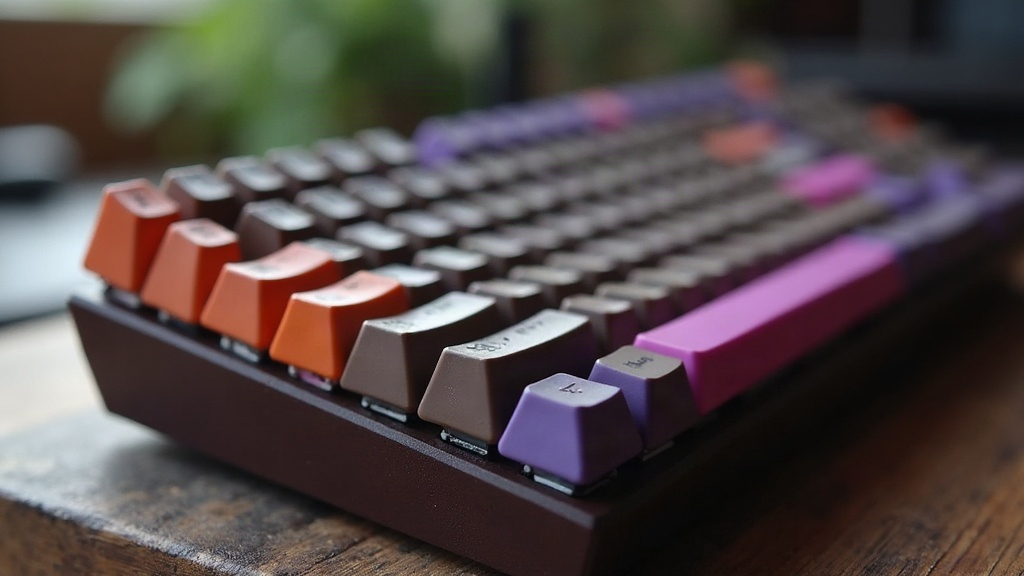
If you’re putting together your first mechanical keyboard and can’t decide between Cherry MX Brown and Tecsee Purple Panda, here’s the quick version: Cherry MX Brown is the safer bet for total beginners, cheap and everywhere. Tecsee Purple Panda costs a bit more but gives you a sharper, more satisfying bump under your fingers. Both work fine as your first taste of tactile switches. The real question is whether you care more about convenience or feel.
What “Tactile” Actually Means
A tactile switch gives you a small physical bump halfway through the keypress, so you know a keystroke registered without needing to slam the key all the way down. Think of it as the middle ground: linear switches are smooth with zero bump (gamers love these), clicky switches add an audible click on top of the bump (that typewriter clack you remember from your grandma’s office). Tactile switches sit right between the two, which is why typists and office workers gravitate toward them. You get feedback, but your coworkers don’t want to strangle you by 2pm.
Cherry MX Brown: The Industry Default
Cherry MX Brown has basically been the default tactile switch since mechanical keyboards exploded in popularity back in the 2010s. Walk into any store and grab a keyboard labeled “tactile,” and odds are good it’s running Browns.
Pros:
- Dirt cheap and stuffed into almost every pre-built keyboard on the market
- A light, subtle bump, gentle enough for someone who’s never felt a tactile switch before
- Rock-solid reliability, with a decade-plus of documentation and community knowledge behind it
- Keycaps, lube guides, spare parts? All a five-second search away
Cons:
- The bump is faint. Honestly, a lot of experienced users will tell you it feels almost linear after a while
- Stock sound is scratchy and a little hollow, think “plasticky click-clack” until you mod it
- Enthusiasts tend to roll their eyes at it now, calling it dated next to newer boutique options
If you’re not ready to spend extra and just want to see what tactile typing feels like on a budget board, Cherry MX Brown does the job. You’re looking at roughly $0.30-$0.50 per switch, pocket change in the keyboard hobby.
Tecsee Purple Panda: The Enthusiast Favorite
Tecsee Purple Panda belongs to the newer generation of Chinese-made switches that quietly raised the bar for what a switch feels like straight out of the box, no mods needed. Spend five minutes on r/MechanicalKeyboards and you’ll see it recommended constantly as “the first boutique switch to try.”
Pros:
- A pronounced, crisp bump you’ll notice immediately, even if you’ve never touched a tactile switch in your life
- Smoother stem travel out of the factory, with way less scratch than you’d get from a stock Cherry Brown
- A deeper, more satisfying “thock” when you bottom out, the sound people chase in keyboard builds
- Factory-lubed versions exist, which means you can skip the messy DIY lubing process entirely
Cons:
- More expensive, usually $0.40-$0.70+ per switch, and sometimes only sold in bulk sets of 35 or 110
- You won’t find these pre-installed in budget keyboards off the shelf. You’ll need a hot-swappable board to use them
- The spring is a touch heavier than Cherry Brown’s (around 55g versus 45g), which can tire out your fingers during marathon typing sessions
Side-by-Side Comparison
| Feature | Cherry MX Brown | Tecsee Purple Panda |
|---|---|---|
| Tactile bump strength | Light/subtle | Pronounced/crisp |
| Stock smoothness | Scratchy | Smooth |
| Sound | Hollow, clicky-ish | Deep, thocky |
| Price per switch | ~$0.30-0.50 | ~$0.40-0.70 |
| Availability | Everywhere, pre-built boards | Hot-swap boards, switch retailers |
| Beginner friendliness | Very high (low commitment) | High (slightly pricier entry) |
Which Should You Actually Buy?
- Go with Cherry MX Brown if: you already have a board with them installed, your budget is tight, or you just want to figure out whether you even like tactile switches before spending more money.
- Go with Tecsee Purple Panda if: you own (or are planning to buy) a hot-swappable board, you want to know what a genuinely satisfying bump feels like, and a few extra cents per switch doesn’t scare you off.
Here’s a path a lot of beginners take, and honestly it works well: grab a cheap hot-swap board (a budget Keychron or Royal Kludge will do), test drive the stock switches for a week or two, then pop in a set of Tecsee Purple Pandas and feel the difference for yourself. No soldering iron required, just a switch puller and ten minutes.
Conclusion
Cherry MX Brown is still the safest on-ramp into tactile switches, cheap, available, low-stakes. But it’s not the best feeling switch out there anymore, not by a long shot. Tecsee Purple Panda gives you a more textured, rewarding typing experience for a few extra dollars total, and if your board supports hot-swapping, it’s the smarter pick for the long run. Need pure convenience? Grab Cherry Brown. Want the best first impression of what tactile switches can really feel like? Purple Panda wins, hands down.